OrcaSheets
Run local-first analytics with plain-English queries, joins, and dashboards across 20+ sources
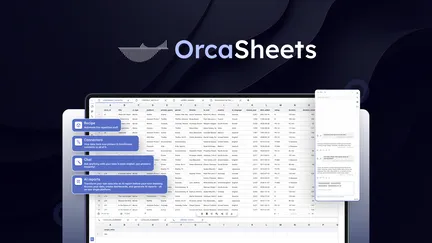
Overview
OrcaSheets is a local-first analytics workspace designed to bring powerful data analysis to your own machine. It’s built around three central ideas: keep raw data on your infrastructure, let non-technical users ask questions in plain English, and provide a path to full SQL control for analysts. The product combines a spreadsheet-like interface with query generation, connectors to common data stores, and visualization/dashboarding tools intended for teams that prioritize data privacy and speed.
Key Features
- Plain-English query interface that translates natural language questions into SQL. The UI shows the generated SQL so you can review or refine it, and you can drop into the full SQL editor for complex logic without leaving the environment.
- Local-first execution: queries run on your local machine or servers, keeping raw data on-site. This reduces dependence on cloud processing and associated costs and gives security teams more control.
- Connectors: supports 20+ data sources, including common ones such as PostgreSQL, MySQL, Microsoft SQL Server, Amazon S3, Azure Blob Storage, and Snowflake. It lets you join across warehouses, databases, flat files, and APIs within a single workspace without having to copy data into a central cloud.
- Data joining and modeling: a visual join interface and the ability to reuse models across workbooks so teams can standardize definitions and reduce duplicate data prep work.
- Performance claims: engineered to scan very large datasets (the vendor mentions scanning up to 1B rows on standard hardware) with results returned quickly, which aims to eliminate long cloud queues.
- Dashboards and visualizations: create interactive charts and dashboards from live queries. Dashboards and chart templates can be saved and shared across the team.
- Automation and templates: save queries as templates for repeatable workflows and automate recurring tasks; intended to let non-technical users rerun workflows without writing SQL.
- Security and governance features: SSO and advanced access control, audit logs and usage analytics, and encrypted transit for queries. The local-first model inherently reduces exposure of raw data to third-party cloud storage.
- Team collaboration: team dashboards, saved dashboard templates, and public/personal dashboards for sharing insights internally.
- AI options: supports AI query quotas per month and mentions options for custom AI model selection and public recipes; some future AI model access may be additive or discounted, indicating an extensible AI approach.
- Installation: available for Windows as a downloadable ZIP (version 26.2.2 cited, ~64 MB). Documentation and release notes are provided, and there are links to GitHub releases for updates.
What I liked
- Focus on privacy and control: For organizations constrained by compliance, sensitive data, or cost concerns around cloud processing, OrcaSheets’ local-first model is its standout value proposition. Keeping raw data on your own infrastructure while still enabling rich analytics is compelling.
- Natural language to SQL with transparency: Converting plain-English questions into editable SQL is a very practical approach. It lowers the barrier for business users while preserving analyst control by exposing the generated SQL.
- Wide connector set and join capabilities: Being able to query and join across databases, warehouses, and flat files without moving data significantly simplifies cross-system analytics.
- Emphasis on reuse and templates: Saved query templates and reusable models reduce repetitive work and help ensure consistency in metrics across teams.
- Performance orientation: The promise of scanning very large datasets locally and quickly is attractive for teams frustrated with cloud queues and processing fees.
What needs work / Caveats
- Early-stage product with limited feedback: OrcaSheets presents as a young, bootstrapped startup. The feature set is promising but appears to be under active development; prospective users should expect growing pains, evolving capabilities, and the need to engage with support for edge cases.
- Documentation and system requirements: While basic install guidance is available, the public documentation doesn’t appear to provide detailed system requirements or enterprise deployment best practices. If you plan to scale usage across many heavy queries, you’ll want clearer specs and guidance.
- Clarify AI feature roadmap and limits: AI query quotas and model access are part of the offering, but some language suggests future models may be tied to add-ons. Teams that will rely heavily on AI-driven queries should confirm long-term access terms.
- Integration nuance: Supported connectors are broad, but specific enterprise connectors, authentication flows, and advanced database compatibility might require configuration work. Expect to test connectivity and performance for your specific stack.
- Support maturity: As a small team, responsiveness and SLA expectations should be confirmed if you’ll rely on OrcaSheets for production workflows.
Bottom line
OrcaSheets is an intriguing option for teams looking to consolidate analytics on their own infrastructure while enabling business users to query data conversationally. Its combination of plain-English query translation, drop-to-SQL capability, multi-source joins, and local execution is a strong fit for privacy-conscious teams, analysts who want quick iteration, and organizations trying to reduce cloud processing overhead. If you’re evaluating the tool, validate connector compatibility with your stack, run performance tests with representative datasets, and confirm the roadmap and support arrangements for AI capabilities and enterprise features. For teams that need strict data control and want to bring analytics closer to their hardware, OrcaSheets merits a close trial.
