AdaptlyPost
Plan, schedule, and publish to 9 social platforms with AI-powered captions, images, and automation
AdaptlyPost — Review
TL;DR
AdaptlyPost is a modern social media management platform focused on streamlining cross-platform publishing with AI-assisted content creation and automation. It consolidates a visual content calendar, bulk scheduling, AI image and caption generation, and programmatic publishing via API/agents into a single dashboard. It’s particularly well suited for content creators, small teams, and social media managers who need to publish the same asset across multiple networks while customizing format and messaging per platform.
Key features
Unified calendar and multi-platform publishing
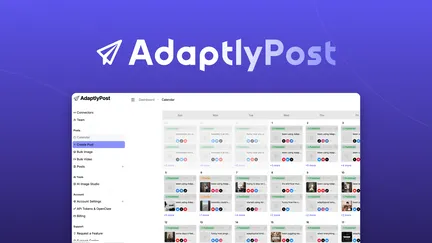
AdaptlyPost provides a visual calendar that lets you map out weeks or months of content in one place. From this calendar you can schedule and preview posts for multiple platforms simultaneously, tailoring captions, hashtags, image sizes, and posting times to each channel without switching interfaces.
Wide platform support
The app supports nine major social networks, including Instagram, TikTok, YouTube, X (Twitter), LinkedIn, Facebook, Pinterest, Threads, and Bluesky. This breadth means you can manage almost an entire social presence from a single workspace.
AI-powered content creation
AdaptlyPost includes AI caption generation for platform-appropriate copy and an AI Image Studio that creates social-ready visuals from text prompts. Generated images can be edited, resized, and exported in optimized dimensions for each platform, speeding creative iteration without requiring a separate design app.
Bulk uploading and scheduling
The bulk scheduling feature allows uploading and scheduling of large batches of media (videos and images) in one session, with platform-specific settings for each post. This reduces repetitive work when planning campaigns or repurposing content across channels.
Platform-specific previews and optimization
Before publishing, AdaptlyPost lets you preview how a post will appear on each platform so you can adjust aspect ratios, cropping, and copy to meet network norms (e.g., reel vs. feed dimensions, caption length, hashtag placement).
API access and agent integration
The product exposes API tokens and supports agent-style automation (OpenClaw integration and MCP/skills). You can programmatically publish content, automate scheduling tasks with plain-English commands, and integrate the system into existing tech stacks.
Team and workspace management
Workspaces, role-based permissions, and team member management are built in so multiple contributors can collaborate, with control over access levels and publishing rights.
Analytics and performance
An analytics dashboard makes it easier to evaluate what’s working by tracking reach and engagement across connected platforms, helping inform future content planning.
Setup and integrations
Account connections
Connections use secure OAuth flows, so passwords aren’t stored by the platform. For Instagram, you must use a Business or Creator account linked to a Facebook Page. Admin roles and token refreshes are typical sources of connection issues; the platform includes guidance for reconnecting accounts and resolving common permission errors.
Troubleshooting tips
If posts fail to publish, common fixes include refreshing the connection, ensuring page admin roles are correct, and re-authorizing integrations after password changes. The help center documents these steps clearly.
Strengths
- Centralized multi-platform publishing reduces context switching.
- AI tools for captions and image generation accelerate ideation and production.
- Bulk scheduling is robust, allowing large campaigns to be queued quickly.
- API and agent integrations enable automated workflows and programmatic control.
- Platform-specific previews and export optimization minimize formatting errors.
- Team and workspace controls support collaboration for small teams.
Weaknesses and limitations
- The AI image and caption features rely on credits (monthly allotments), which may require monitoring for heavy users.
- Some platform connections can be finicky due to external API constraints (e.g., Facebook/Instagram permissions), which is common across similar tools.
- The agent-driven automation is powerful but adds complexity for users who don’t plan to use developer/API functionality.
- As with any centralized scheduler, rare edge cases in native platform behavior (e.g., format-specific restrictions or platform-native features) may require manual intervention.
Who should consider it?
AdaptlyPost is a good fit for:
- Content creators repurposing videos and images across many networks.
- Small marketing teams that need coordinated calendars and role-based access.
- Agencies or freelancers handling multiple client accounts and needing bulk scheduling.
- Developers or teams wanting to embed social publishing into their workflows using APIs or automation agents.
Alternatives and context
For users comparing options, established tools like Buffer, Hootsuite, and Sprout Social offer mature scheduling and analytics. AdaptlyPost’s differentiators are its native AI content-generation features, agent/API-first automation, and a strong emphasis on cross-platform visual previews and bulk operations.
Final thoughts
AdaptlyPost is a feature-rich social publishing tool that blends practical scheduling and collaboration features with modern AI-assisted content creation and automation. Its multi-platform support and bulk operations make it efficient for high-volume publishing, while API and agent integrations provide extensibility for programmatic workflows. It’s especially valuable for teams and creators looking to scale consistent posting across many networks without juggling multiple apps. If you rely on centralized scheduling and want AI tools baked into your content pipeline, AdaptlyPost is worth a close look—just be mindful of platform connection requirements and credit usage for the AI features.